Importing data from sequencing vendors (FTP)
Last updated: November 14, 2025
Many of the major sequencing vendors (e.g. Novogene, Azenta/GeneWiz, Eurofins) will send you an email with FTP information when your sequencing data is ready to download. Good news - there's no need to waste time downloading the data yourself and importing it to Pluto!
Input your vendor's FTP credentials directly into Pluto and the FASTQ files will be transferred into your new experiment
➕ Step 1: Create a new experiment (if you haven't already)
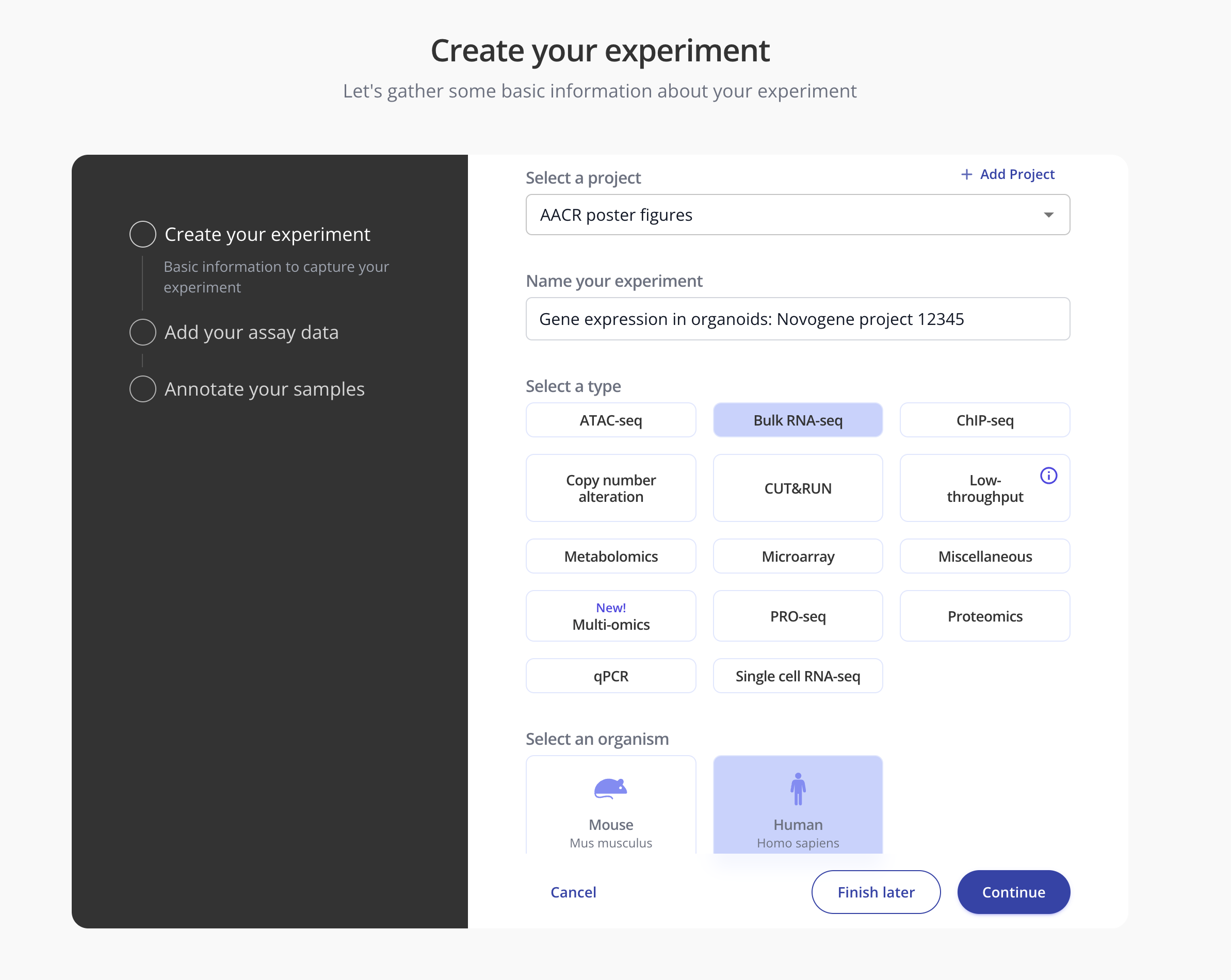
Create an experiment in Pluto in the appropriate project. Give the experiment an informative name and select the organism and assay type. Click Continue.
🔑 Step 2: Input FTP credentials
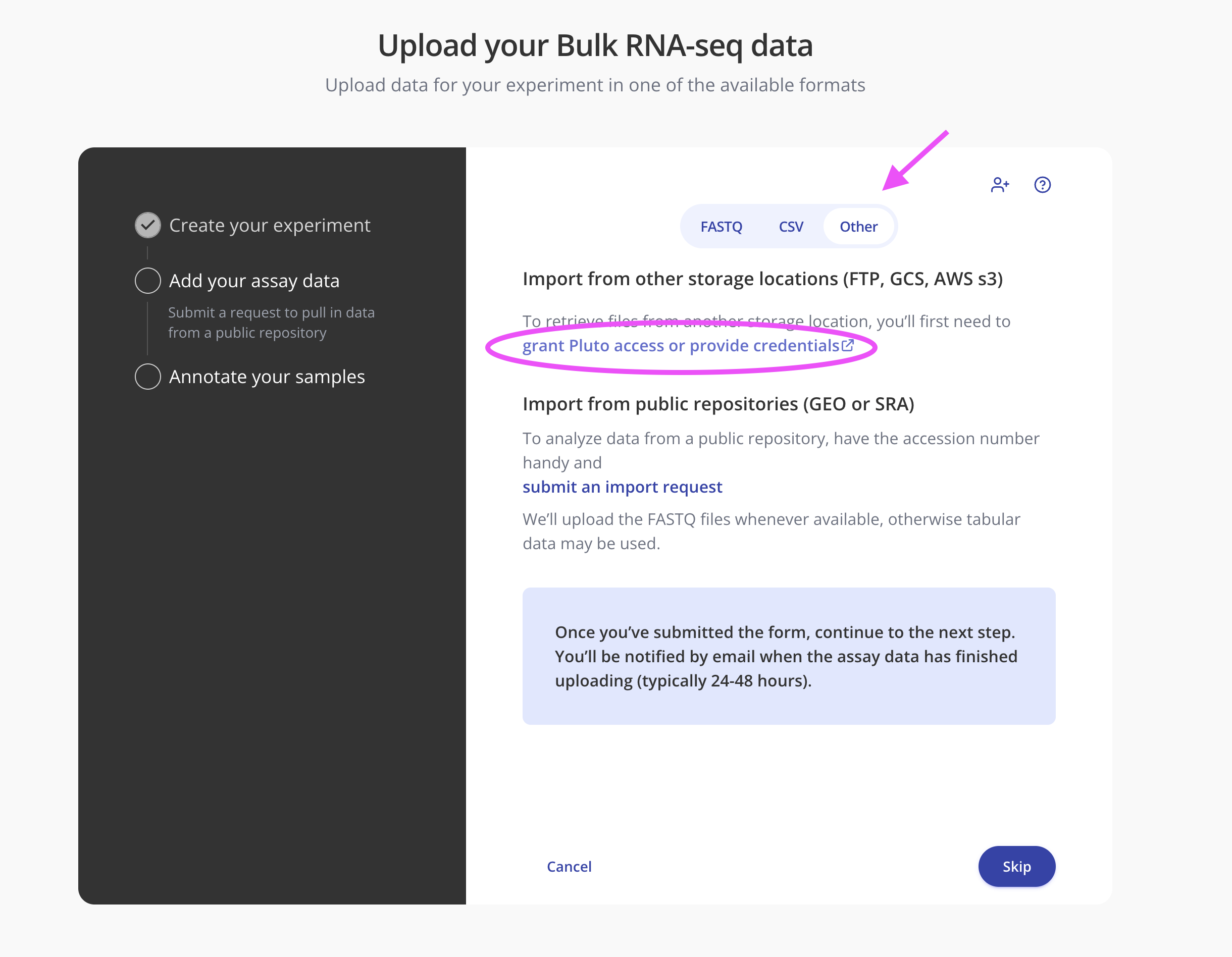
On the "Add your assay data" step in the wizard, navigate to the "Other" tab and click the link to "Grant Pluto access":
Select the "SFTP / FTP" option from the dropdown and enter the credentials from the vendor:
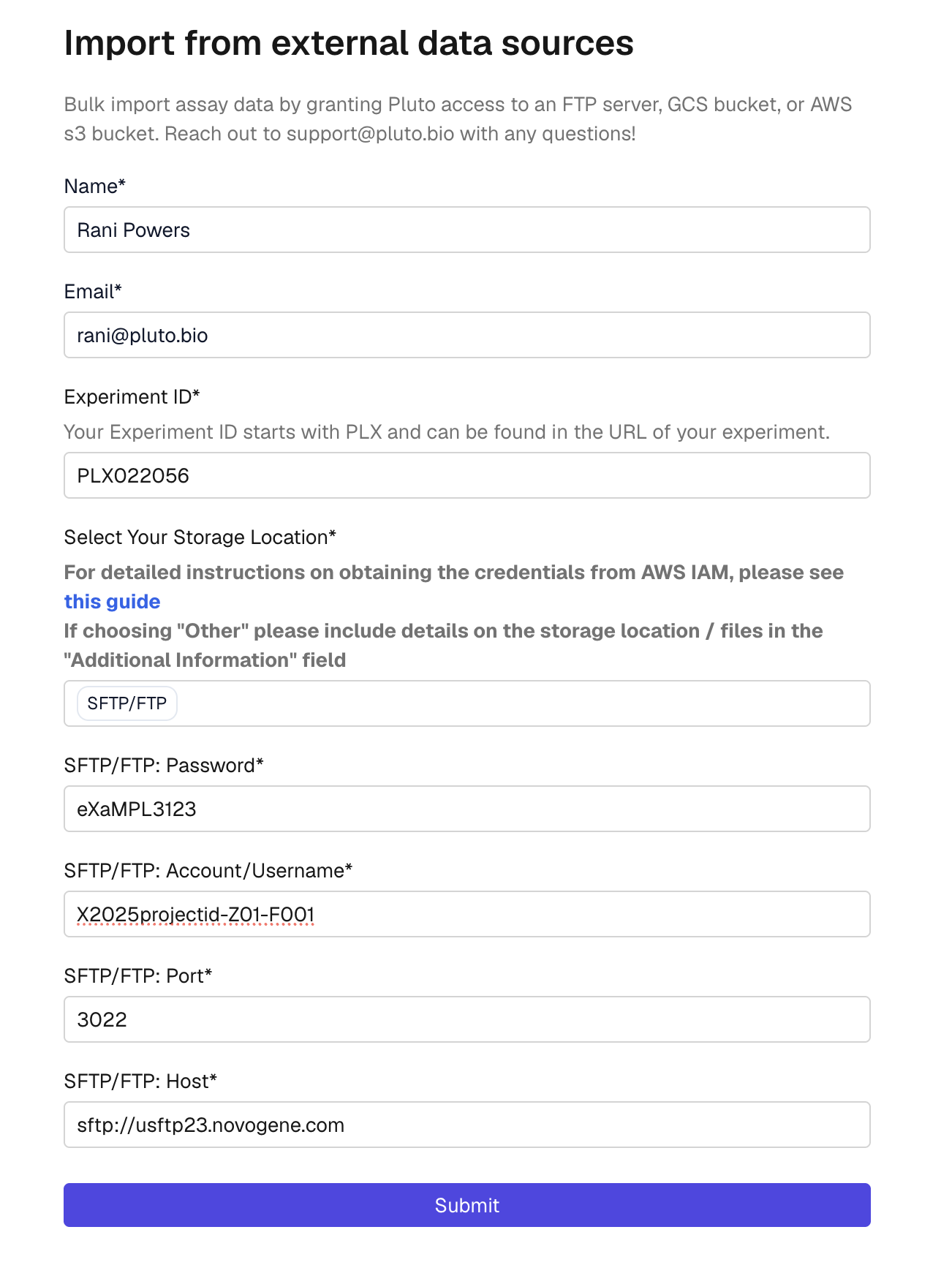
For handy reference, you can navigate directly to ^ form here.
Step 3: Add sample annotations
While your FASTQ files are importing from the sequencing vendor, you can go back into the Pluto experiment wizard and click "Annotate your samples" and upload your sample metadata.
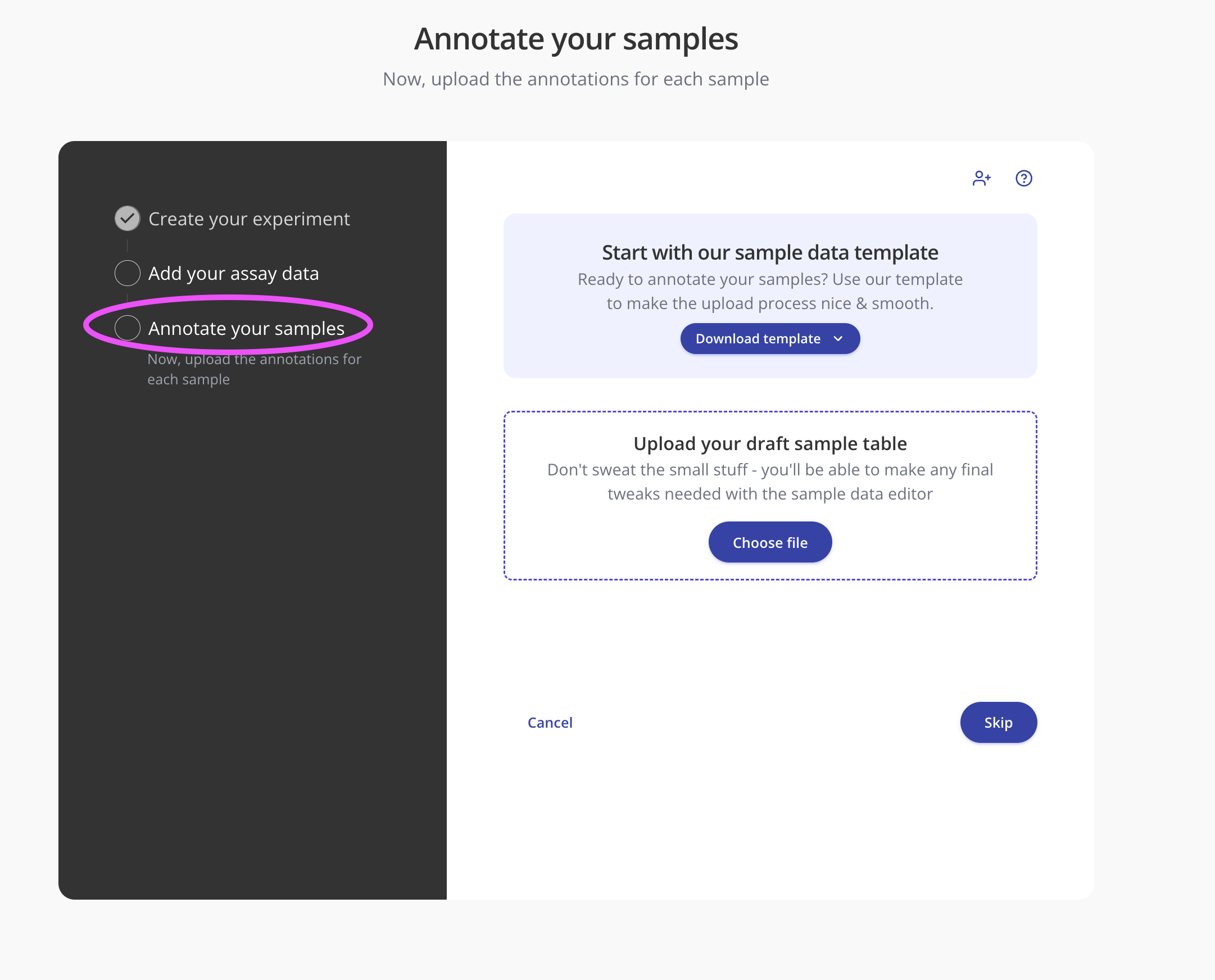
NOTE: If you do not know the FASTQ filenames from the sequencing vendor, you can wait to perform step 3 until you have received the notification that the FASTQ files have finished importing into your experiment.